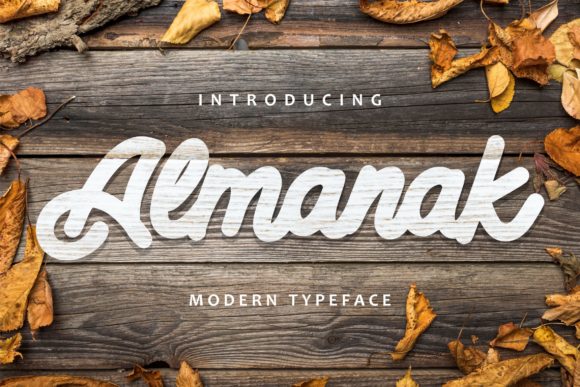
Cherlina: A Playful Script Font That Fits Real Creative Workflows
Cherlina is a charming and modern script font—hand-drawn in spirit but digitally refined for clarity and consistency. It balances casual elegance with legibility, making it more than just decorative. Unlike many script fonts that sacrifice function for flair, Cherlina maintains rhythm and spacing that support readability at medium sizes, especially in headings, labels, and short-form text. Its subtle bounce, soft terminals, and gentle contrast make it feel approachable—ideal when you want warmth without sacrificing professionalism.
Where Cherlina Fits in Your Creative Process
Fonts aren’t used in isolation—they’re part of a sequence: planning, drafting, refining, presenting, and sharing. Cherlina enters most naturally during the refining and presenting phases, but its value extends earlier if you treat typography as an intentional layer—not an afterthought. For example, when sketching a social media campaign, choosing Cherlina early helps align visual tone with voice: playful product announcements, friendly workshop invitations, or lighthearted email headers all benefit from its character. It signals intention before a single word is finalized.
That said, Cherlina isn’t suited for body copy, long paragraphs, or data-heavy layouts. Its strength lies in moments where personality matters more than density—captions on Instagram carousels, hand-lettered-style quotes in Canva templates, or custom SVG labels in Cricut Design Space. Knowing this boundary prevents misapplication and preserves its impact.
Using Cherlina Before the Project Begins
Preparation matters. If you’re building a brand kit, launching a digital course, or designing printable planners, selecting Cherlina during the asset-planning stage ensures consistency across touchpoints. Add it to your Figma or Adobe XD library alongside your primary sans-serif (e.g., Inter or Poppins) and a neutral serif for body text. This triad—functional, expressive, and readable—covers 90% of common use cases without visual fatigue.
Before downloading or licensing Cherlina, verify its file formats: OTF and TTF are widely compatible; variable font support is limited, so don’t expect weight sliders. Check licensing terms—most versions allow commercial use, but embedded web use (via @font-face) may require a separate web license. Skipping this step can delay deployment or create compliance gaps later.
Integrating Cherlina During Execution
In practice, Cherlina works best when paired deliberately—not layered arbitrarily. Use it for one clear purpose per layout: a headline, a callout box, or a signature line. Avoid mixing it with other script fonts, which dilutes distinction and muddies hierarchy. Instead, pair it with clean, geometric sans-serifs. The contrast reinforces Cherlina’s charm while keeping structure intact.
For crafters using cutting machines: import Cherlina into Silhouette Studio or Cricut Design Space as a system font (not an image). Adjust letter spacing manually—default tracking is often too tight for vinyl or paper cuts. Increase it by 10–20 units to prevent joins from fusing during weeding. Test cut small phrases first; “hello” and “thanks” reveal spacing issues faster than full sentences.
Bloggers and educators embedding Cherlina into websites should serve it via a reliable font host (like Google Fonts if available, or self-host the files). Never rely solely on local system fallbacks—Cherlina won’t render unless explicitly loaded. Use @font-face with WOFF2 for efficiency, and define a graceful fallback stack: font-family: "Cherlina", "Comic Sans MS", cursive; keeps intent visible even if loading fails.
Post-Project Refinement and Quality Control
After export, review Cherlina-rendered text at multiple sizes and contexts. On mobile, test how it holds up at 24px in email clients like Apple Mail or Outlook—some render script fonts with jagged edges or inconsistent kerning. If fidelity drops, switch to a static PNG version for critical elements (e.g., logo lockups or featured quotes), preserving quality without risking rendering quirks.
Consistency also means checking color contrast. Cherlina’s thin strokes need sufficient contrast against backgrounds—especially light gray or pastel fills. Aim for at least 4.5:1 against white or off-white; darker backgrounds require lighter weights or adjusted opacity. Tools like WebAIM’s Contrast Checker help validate this before final delivery.
Workflow Examples Across Roles
- Small business owners: Use Cherlina for seasonal sale banners (“Spring Refresh!”), thank-you cards bundled with orders, or chalkboard-style menu boards in cafés—always paired with a sturdy sans-serif for prices and descriptions.
- Educators: Apply Cherlina to worksheet headers (“Let’s Explore Fractions!”) or student award certificates. Its friendliness lowers perceived difficulty for younger learners without infantilizing content.
- Freelance designers: Include Cherlina in mood boards to signal tone early—clients grasp “approachable but polished” faster than abstract adjectives. Then limit its use to deliverables where it adds functional value, not decoration.
- Bloggers and content creators: Deploy Cherlina in Pinterest pin titles or YouTube thumbnail text overlays. Its distinct shape stands out in crowded feeds, improving click-through when used sparingly and legibly.
Long-Term Usability and Practical Observations
Cherlina holds up well over time because it avoids trend-driven extremes—no excessive swirls, no forced irregularity. That makes it adaptable across seasons and platforms. Still, monitor usage frequency: rotating it with another expressive font (e.g., Bickham Script Pro for formal occasions, or Qwigley for extra playfulness) prevents visual fatigue for your audience—and for you.
Organization matters too. Store Cherlina files in a dedicated “Typography” folder within your project assets, named clearly (e.g., cherlina-regular-otf). Tag it in cloud libraries (like Adobe Fonts or Figma’s team styles) with notes: “Use for headlines only. Not for body or small UI text.” These small habits reduce decision fatigue during crunch time.
Efficiency gains come from preparation—not speed. Having Cherlina pre-installed, licensed, and tested across your core tools means you spend seconds, not minutes, applying it correctly. That adds up: five saved minutes per project, across twenty projects, equals over an hour reclaimed each quarter—time better spent refining messaging or connecting with users.
Final Integration Tip: Start Small, Scale Intentionally
Don’t overhaul every template at once. Pick one recurring asset—a newsletter header, a printable habit tracker, or a product label—and apply Cherlina there. Observe how it performs: Does it improve recognition? Does it clarify tone? Does it create friction in any context? Let real usage guide expansion. If it strengthens connection without compromising clarity, add it to one more touchpoint next cycle.
That’s how Cherlina earns its place—not as a novelty, but as a deliberate tool in a thoughtful workflow. It doesn’t replace strategy or substance. Instead, it supports both—adding warmth where appropriate, reinforcing voice where needed, and fitting cleanly into processes already shaped by purpose, timing, and audience awareness.